

Read this before installing 999xa: what it does, who it suits, and how to keep the setup safe. It is a small detail that matters over weeks of use.
About 999xa
If you are new to 999xa, the short version is simple: a clean lobby, fast rounds, and an account area that stays out of the way. The result is a calmer, more predictable session.
How 999xa installs on Android
Avoid modified copies of 999xa; unofficial rebuilds can add anything to the package. The approach holds up after a few weeks of regular use.
Against the Competition
Approach 999xa as a focused tool, and it compares favorably to bloated rivals. Nothing here asks more of your device than necessary.
- Fast, lightweight lobby that opens in seconds
- Simple menus with shallow navigation
- Frequent small updates like 3.7.1.0
- APK size stays modest on most devices
- Availability outside official stores can vary by region
- Interface language depends on device settings
Account Management
Sessions persist between launches until you explicitly sign out. It is the kind of choice you notice only when it is absent.
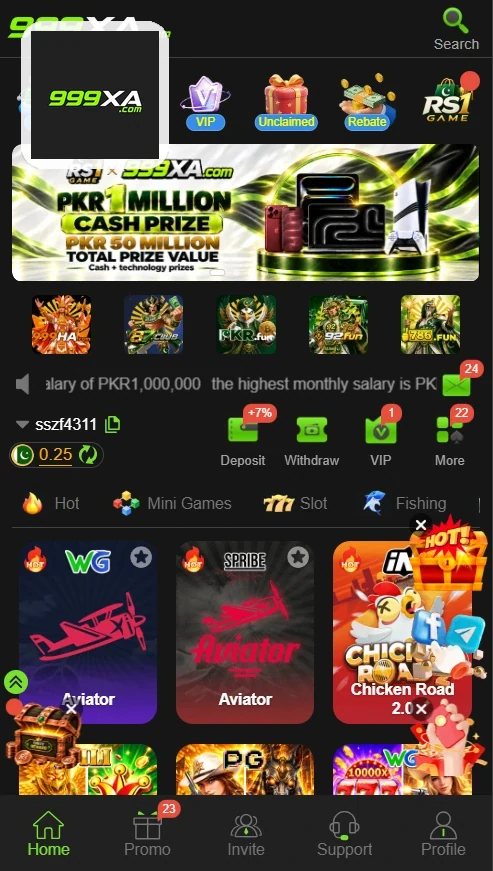
Feature Overview
Load times stay consistent on mid-range hardware, not just on flagship devices. That consistency is easy to underestimate.
Menus stay shallow: nothing in 999xa is buried more than two levels deep. The result is a calmer, more predictable session.
Notifications are opt-in, so the app stays quiet unless you enable reminders. Nothing here asks more of your device than necessary.
Sessions load quickly on mid-range phones, and the 3.7.1.0 build trims waiting time between screens noticeably compared with older releases.
Payments and Transactions
Keep transaction references handy in case support needs them. It is simple on the surface, considered underneath.
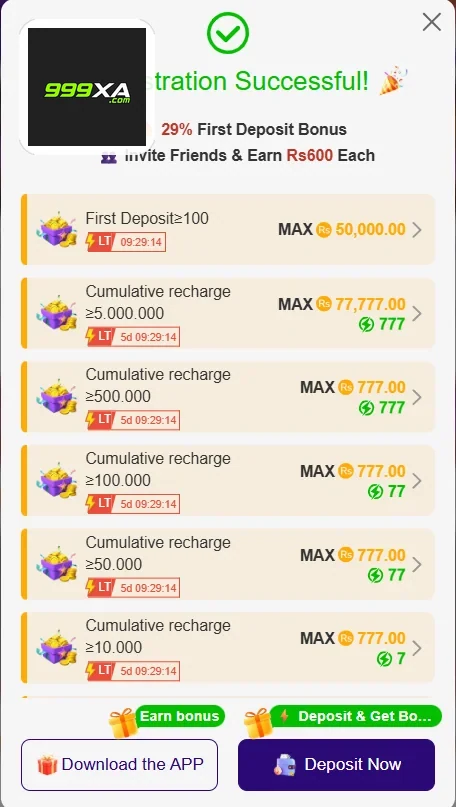
Promotions appear in a dedicated section of the lobby. Read the terms attached to each offer before joining: eligibility rules, expiry dates, and usage limits are listed on the promo card itself.
Balanced View of 999xa
- Low battery impact during short sessions
- Reliable load times on mid-range hardware
- Feature depth is intentionally limited
- Some sections depend on regional availability
Prefer Wi-Fi for media-heavy sections to save mobile data. It is a small detail that matters over weeks of use.
Usage Tips
Start with the built-in tutorial if it appears on first launch; it explains the lobby fastest. Long sessions reveal the difference more than quick checks do.
If an older build misbehaves, 3.7.1.0 is the recommended fix.
Core Sections of 999xa
999xa is a iOS app designed mainly for smartphone users, grouping its core actions into a simple lobby. Power users will appreciate that it stays out of the way.
On older hardware the gap widens: 999xa stays usable where heavier apps start to stutter. Reviews tend to mention this point first.
Regional Availability
Players in many regions often search 999xa alongside local payment options. It scales from older phones to current ones without drama.
999xa Installation Walkthrough
1. Confirm the version shown on the page matches 3.7.1.0.
2. Re-download the package if the file size looks short.
3. Approve the permission list only if it matches what the app needs.
4. Launch 999xa and allow only the permissions you recognize.
Use the search field inside the lobby instead of scrolling long lists. This keeps day-to-day use predictable.
Update Notes
Older builds keep working, but 3.7.1.0 fixes minor display glitches on smaller screens. That consistency is easy to underestimate.
Installation follows the standard Android APK flow: download, open the file, confirm, launch. The behavior stays consistent across versions.
Is 999xa Safe?
Set a session budget before playing and stick to it. This keeps day-to-day use predictable.
Trending iOS Apps This Week
Players who liked 999xa last month are trying IK786 APK with a similar style. Nothing about it feels bolted on or rushed.
Advantages and Trade-offs
- Snappy lobby interactions
- Good accessibility basics
- Preferences survive updates
- Uninstall leaves nothing behind
Some features depend on region, which is the main caveat.
Log out on shared devices and remember sessions only on personal hardware.
Installation and First Launch
After install, open 999xa once online so the 3.7.1.0 build can validate its files.
1. Check available storage on the device first.
2. Download the 3.7.1.0 package from a trusted source.
3. Open the APK and confirm installation.
4. Launch the app and complete the first-run tour.
Handy Suggestions
If a screen ever freezes, close the app from the recent-apps view and reopen it. Persistent issues are usually fixed by clearing the app cache from Android settings.
What Is New in 3.7.1.0
The release notes do not mention new permissions, which is the detail worth confirming before updating.
How 999xa Differs from Rivals
Consistency across updates is where 999xa pulls ahead of faster-moving competitors. It is a deliberate trade that favors reliability.
If 999xa is already installed, 88FD casino is the usual second pick. The approach holds up after a few weeks of regular use.
Managing Your 999xa Login
Complete verification promptly; some sections stay locked until the account is confirmed. The choice fits how most people actually use a phone.
Never share verification codes with anyone, including people claiming to be support. It is the kind of choice you notice only when it is absent.
Never share your password or verification codes; support never asks for credentials over chat.
Popular Picks Alongside 999xa
Curiosity about rankings is common, and the Y71 APK draws steady traffic.
Against similar apps, the 3.7.1.0 build wins on load times rather than raw feature count. Returning users notice the same behavior every time.
Region-Specific Details
Check local rules that apply to online entertainment in your area. Reviews tend to mention this point first.
Read eligibility rules, expiry dates, and usage limits before joining any offer.
Frequently Asked Questions
How do I remove 999xa completely?
Uninstall from Android settings; this removes the app and its local data.
Does 999xa work on iOS?
Availability differs by platform and region; the current APK targets Android.
Is 999xa safe to install?
It is safe from a trusted source; verify 3.7.1.0 and check permissions first.
Why does 999xa ask for permissions?
Only the permissions needed for core features are requested; review them anytime in Android settings.
Can I use 999xa on multiple devices?
Sessions tie to your account, so signing in elsewhere syncs progress while the first device may sign out.
The Verdict
Overall, 999xa does the basics well. Install the 3.7.1.0 build from the official page, review permissions during setup, and the app runs as described. If expectations are set on quick entertainment rather than an all-in-one platform, it delivers.
Tighten account privacy settings after registering; it takes under a minute. It scales from older phones to current ones without drama.
تبصرے