

LG777 pairs a fast lobby with shallow menus, making it a practical pick for everyday mobile entertainment. Most of the polish is invisible until you need it.
LG777 at a Glance
For new players, LG777 works like most modern apps: create an account, browse the lobby, use the built-in tools. This keeps day-to-day use predictable.
LG777 safety and account notes
Promotions never guarantee withdrawal; eligibility and conditions come first.
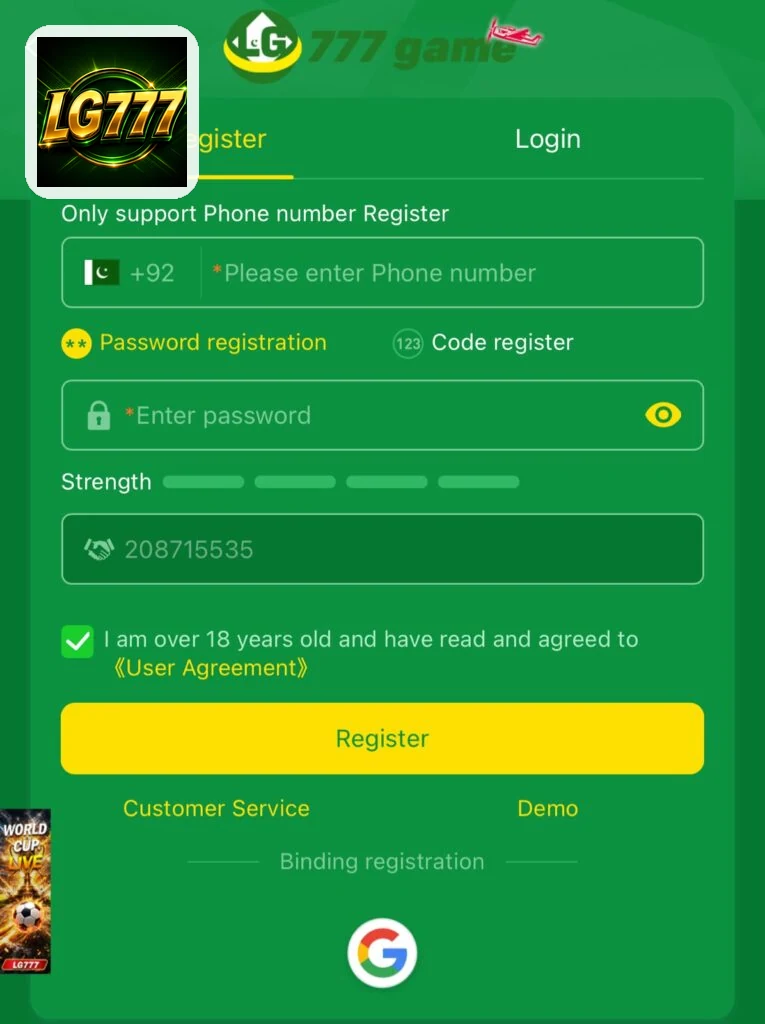
Account Management
A password manager fills the login form faster than typing on a small keyboard. This keeps day-to-day use predictable.
Clear the app cache from Android settings if a screen ever misbehaves. You feel the difference most on a busy phone.
What Is Popular Right Now
Community chatter often names NA33com alongside LG777 during update weeks. Most of the polish is invisible until you need it.
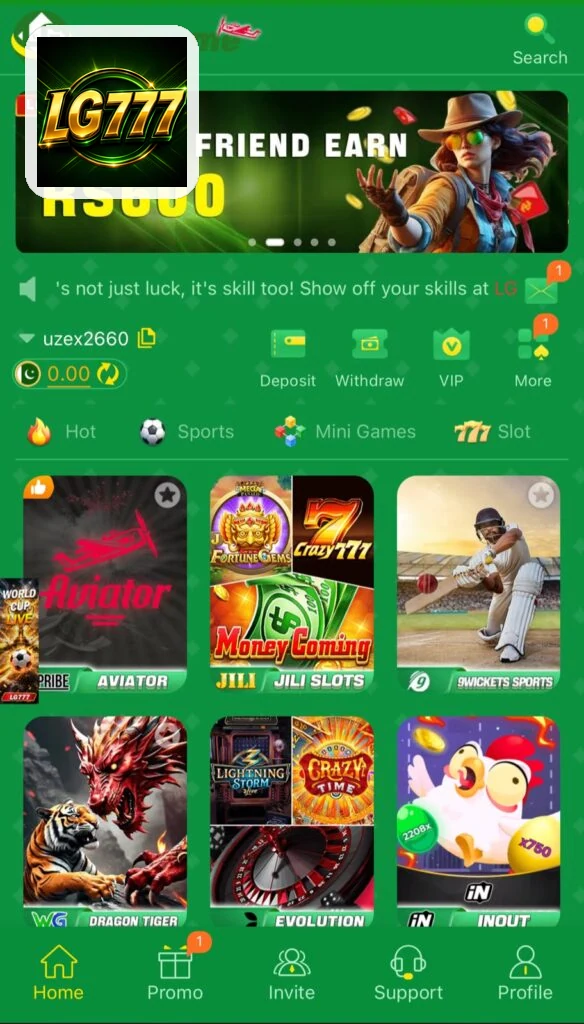
Security Checklist
Never share your password or verification codes. The LG777 team does not ask for credentials over chat apps, and any message requesting them should be treated as a scam attempt.
Account recovery depends on accurate details, so enter real information during registration.
Practical Tips
Keep automatic app updates enabled if your source supports it, so LG777 stays on the current build without manual reinstall.
Approach LG777 as a focused tool, and it compares favorably to bloated rivals.

What Is New in 2.3.7.2
Update notes for LG777 stay short and factual: fixes, tweaks, and rarely a new section. The approach holds up after a few weeks of regular use.
Pros and Cons
- Reliable load times on mid-range hardware
- Account area keeps records organized
- Opt-in notifications by default
- No forced tutorials
A focused tool with clear, honest limitations.
If a screen ever freezes, close the app from the recent-apps view and reopen it. Persistent issues are usually fixed by clearing the app cache from Android settings.
Inside the LG777 Lobby
LG777 grew through word of mouth rather than big marketing, which shows in its no-friction onboarding. That decision keeps the app approachable for newcomers.
LG777 maintains a single primary screen from which every other view branches, keeping orientation simple. It is the kind of choice you notice only when it is absent.
How LG777 Compares
On older hardware the gap widens: LG777 stays usable where heavier apps start to stutter. That decision keeps the app approachable for newcomers.
- Clean error messages with a retry path
- Updates never reset display preferences
- Fast, lightweight lobby that opens in seconds
- Feature depth is intentionally limited
- Some sections depend on regional availability
Wallet and Payment Methods
Promotions appear in a dedicated section of the lobby. Read the terms attached to each offer before joining: eligibility rules, expiry dates, and usage limits are listed on the promo card itself.
LG777 in Your Region
If your region shows fewer sections, the rest usually appear once payment methods for it are enabled.
Where to Get LG777
If the install button stays greyed out, allow unknown-source installs for your browser and retry. Reviews tend to mention this point first.
1. Open the official page in the phone browser.
2. Download and open the APK.
3. Allow installation when prompted.
4. Launch LG777 and sign in.
No restart is required after installation.
Older builds keep working, but 2.3.7.2 fixes minor display glitches on smaller screens. Nothing here asks more of your device than necessary.
Feature Overview
A search function inside the lobby helps you reach specific sections without scrolling through the full list.
Text scales with system font settings without breaking the layout. The approach holds up after a few weeks of regular use.
Sessions resume where they stopped, even after a full device restart. For a phone-first app, that is the right priority.
Using LG777 Day to Day
What LG777 does not try to be matters too: there is no desktop client, no sprawling dashboard, and no mandatory tour. Nothing here asks more of your device than necessary.
Heavier platforms offer more sub-features, but LG777 answers with consistency and fewer surprises. It is a small detail that matters over weeks of use.
From the Trending List
Rankings aside, a comparable app offers a useful contrast to LG777. Returning users notice the same behavior every time.
Competitors with more sections often take longer to reach the same screen, which is the trade LG777 avoids. Long sessions reveal the difference more than quick checks do.
Alternatives and Comparisons
Players who want quick access with minimal setup tend to prefer LG777 over heavier alternatives. That consistency is easy to underestimate.
If you enjoy browsing what is popular, the site highlights one of the most popular apps this week. It is simple on the surface, considered underneath.
Sign Up and Sign In
Complete verification promptly; some sections stay locked until the account is confirmed. It keeps the learning curve short for new installs.
Login is quick on personal devices and asks for credentials on new hardware. That consistency is easy to underestimate.
Download LG777 only from the official page or a mirror you trust. Check that the version number matches 2.3.7.2 before installing, and scan the APK with a mobile security app if you want extra assurance.
Getting More from LG777
Bookmark the official page for quick access to clean downloads. The result is a calmer, more predictable session.
Putting LG777 on Android
Installation follows the standard Android APK flow. Download the file from a source you trust, open it from the notification shade, and confirm the install prompt. On first launch, LG777 requests only the permissions it needs to run.
1. Check available storage on the device first.
2. Download the 2.3.7.2 package from a trusted source.
3. Open the APK and confirm installation.
4. Launch the app and complete the first-run tour.
Download LG777 only from the official page or a mirror you trust, and verify the version matches 2.3.7.2. The result is a calmer, more predictable session.
Availability by Country
Check local rules that apply to online entertainment in your area. It scales from older phones to current ones without drama.
Only claim offers you understand; skipping a promotion costs nothing. Reviews tend to mention this point first.
Is LG777 Safe?
Never share your password or verification codes; support never asks for credentials over chat.
Creating an account takes a couple of minutes. Enter a mobile number or email, choose a strong password, and confirm any verification prompt. Keep the credentials unique to LG777 rather than reusing passwords from other services.
Common Questions
What Android version do I need?
The build supports a wide range of devices; check the download page for the current minimum.
How large is the download?
The 2.3.7.2 package is compact for a modern app and installs quickly on Wi-Fi.
Why does LG777 ask for permissions?
Only the permissions needed for core features are requested; review them anytime in Android settings.
Does LG777 work offline?
Some screens open offline, but account sections need a connection to load your history.
What should I do if the app will not open?
Restart the device, clear the app cache, and reinstall 2.3.7.2 if the issue continues.
Does LG777 use much mobile data?
Daily use is light; media-heavy sections use more, so prefer Wi-Fi.
Conclusion
A small, dependable app that does its job without fuss. It leaves room for the rest of your phone to do its job.
The download button above links to the current 2.3.7.2 package. Installation takes about a minute on a typical connection.
If LG777 is already installed, the next most-viewed app is the usual second pick.
تبصرے